
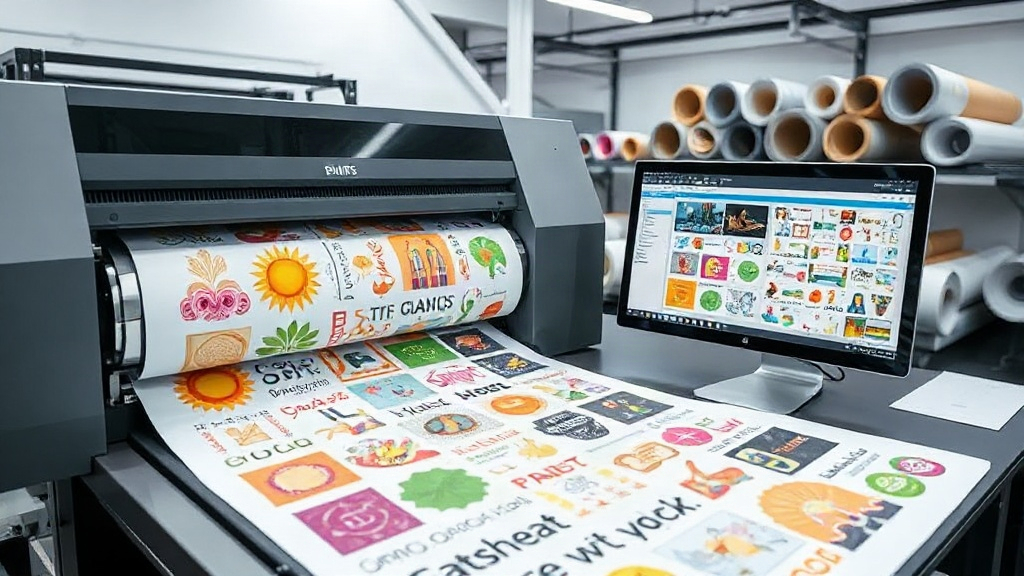
If you're in the custom apparel business, you've likely heard about DTF printing. It's a game-changer for producing vibrant, durable transfers on demand. But as your order volume grows, manually arranging transfers on a sheet becomes a bottleneck. That's where a DTF gangsheet builder comes in. This tool helps you nest multiple designs onto a single film, slashing material waste and labor hours. In this article, we'll explore how to leverage a DTF gangsheet builder to maximize profits and efficiency. Whether you're a solo entrepreneur or running a large shop, these insights will help you stay competitive.
What Is a DTF Gangsheet Builder?
A DTF gangsheet builder is software that lets you arrange multiple DTF transfer designs onto a single sheet of film before printing. Think of it as a digital puzzle solver: you upload your artwork, set the dimensions, and the tool automatically nests the designs to minimize unused space. The result is a gang sheet packed with transfers, ready to print in one pass. This approach contrasts with printing each design individually, which wastes film, ink, and time.
Most builders offer drag-and-drop interfaces, auto-arrangement algorithms, and compatibility with popular DTF printers. Some even integrate with e-commerce platforms to pull orders directly. The core benefit? You print more transfers per sheet, reducing cost per transfer and increasing throughput.
Why You Need a DTF Gangsheet Builder
Manual gang sheet creation is tedious and error-prone. You might spend hours in Photoshop or Illustrator, only to realize you've wasted half the sheet. A dedicated DTF gangsheet builder automates the process, but the advantages go beyond convenience.
Cost Savings
DTF film and ink are significant expenses. By maximizing sheet usage, you lower the cost per transfer. For example, if you pay $2 per linear foot of film, and you can fit 20% more transfers on each sheet, your material cost per transfer drops proportionally. Over hundreds of sheets, that's a substantial saving.
Time Efficiency
Time is money. A builder can arrange a complex gang sheet in minutes, whereas manual nesting might take an hour. That's time you could spend on marketing, customer service, or taking on more orders. Plus, automated nesting reduces human error, so you won't have to reprint due to overlaps or cut-off designs.
Scalability
As your order volume increases, manual methods become unsustainable. A DTF gangsheet builder scales with you. You can handle hundreds of designs per sheet without additional labor. This scalability is crucial for growing businesses that want to maintain fast turnaround times.
Key Features to Look for in a DTF Gangsheet Builder
Not all builders are created equal. Here are the features that matter most:
- Auto-nesting algorithms: Efficiently packs designs to minimize waste. Look for tools that allow rotation and mirroring.
- Support for various file formats: PNG, PDF, and vector files are common. Ensure it handles your typical artwork.
- Custom sheet sizes: You should be able to define the exact dimensions of your film roll or sheet.
- Integration with printers: Some builders can send jobs directly to your DTF printer, streamlining the workflow.
- Order management: If you handle many small orders, a builder that imports order lists and automatically creates gang sheets is a huge time-saver.
- Preview and editing: You need to see the layout before printing. The ability to manually adjust placements is a plus.
Consider your budget and volume. Some builders are free with limited features, while premium versions offer advanced nesting and automation. Test a few to see which fits your workflow.
How to Use a DTF Gangsheet Builder: Step-by-Step
Using a builder is straightforward, but following best practices ensures optimal results.
- Prepare your artwork: Ensure each design is high-resolution (300 DPI recommended) and has a transparent background. Crop tightly to remove excess space.
- Set your sheet size: Enter the width and length of your DTF film. Standard roll widths are 13", 17", and 24". Length can be custom.
- Upload designs: Import your files. Most builders allow batch upload.
- Auto-arrange: Let the builder nest the designs. Review the layout to ensure no overlaps and that all designs are within the printable area.
- Adjust if needed: Manually move or rotate designs to fill gaps. Some builders have a "fill gaps" feature.
- Print and cure: Send the gang sheet to your DTF printer. After printing, apply hot melt powder and cure according to your powder's specs.
- Cut and store: Cut individual transfers and store them in a cool, dry place.
Pro tip: Group similar-sized designs together to maximize nesting efficiency. Also, leave a small margin between designs for easy cutting.
Maximizing Profits with a DTF Gangsheet Builder
The ultimate goal is profitability. Here's how a builder contributes:
Reduce Material Costs
By fitting more transfers per sheet, you buy less film and ink. If you currently waste 30% of each sheet, a builder can reduce that to under 10%. That directly boosts your bottom line.
Increase Production Speed
Faster gang sheet creation means you can take on more orders. If you can produce 50% more transfers per hour, your revenue potential grows accordingly.
Offer Competitive Pricing
Lower production costs allow you to price competitively without sacrificing margin. You can attract price-sensitive customers while maintaining profitability.
Reduce Errors and Reprints
Automated nesting reduces the chance of overlapping designs or printing outside the film area. Fewer errors mean less wasted material and time.
Common Mistakes to Avoid
Even with a builder, some pitfalls can undermine your efficiency.
- Incorrect sheet size: Always double-check your film dimensions. If you set the wrong size, the layout may not print correctly.
- Low-resolution artwork: Garbage in, garbage out. Use high-res files to avoid blurry transfers.
- Ignoring margins: Designs too close to the edge may be cut off during printing or cutting.
- Overlooking powder application: The gang sheet is only half the process. Proper powdering and curing are essential for durable transfers.
- Not updating software: Builders improve with updates. Keep your tool current for the best nesting algorithms.
Frequently Asked Questions
What is the difference between a DTF gangsheet builder and manual nesting?
Manual nesting is done by hand in graphic design software, which is time-consuming and often inefficient. A DTF gangsheet builder automates the process with algorithms that optimize space usage, saving time and reducing waste.
Can I use a DTF gangsheet builder with any DTF printer?
Most builders are software-based and generate a file that you can print on any DTF printer. However, some builders integrate directly with specific printer models. Check compatibility before committing.
How much can I save by using a DTF gangsheet builder?
Savings vary based on your volume and current efficiency. Typically, businesses report 20-40% reduction in material costs and significant time savings. The exact figure depends on how much waste you eliminate.
Is a DTF gangsheet builder suitable for small businesses?
Absolutely. Even if you print a few sheets a week, the time and material savings add up. Many builders offer free or low-cost plans for beginners.
What file formats should I use for best results?
PNG with transparent background is ideal for DTF. PDF and vector files (AI, EPS) also work well. Avoid JPEGs as they don't support transparency and may have compression artifacts.
Conclusion
A DTF gangsheet builder is more than a convenience; it's a strategic tool for any DTF printing business. By automating the nesting process, you reduce costs, save time, and scale effortlessly. Whether you're just starting or looking to optimize your existing workflow, integrating a builder can transform your operations. Remember to choose a tool that fits your needs, follow best practices, and continuously refine your process. With the right approach, you'll see improved margins and happier customers.