
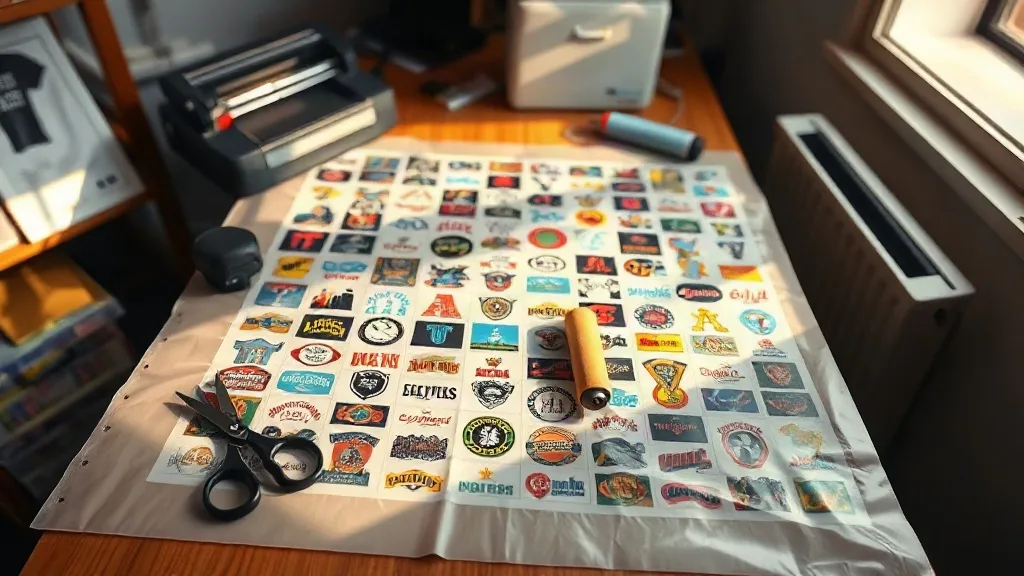
Most print shops quote a DTF transfer by the sheet, not by the design. That single fact changes how you should think about pricing. When one film can hold thirty small logos or a dozen full front prints, the cost per piece stops being about the artwork and starts being about how tightly you pack the layout. That is the practical case for a DTF Gangsheet: one file, one print run, many transfers, and a unit cost that would be impossible to match with individual orders.
This guide is for the people who actually build those files: small apparel brands, print-on-demand sellers, sports team managers, and shop owners tired of paying a setup fee fifteen times for fifteen shirts. We will walk through how gangsheets are priced, how to lay one out so the cutter and the press both behave, and where people lose money without noticing.
What a Gangsheet Actually Is (and Why the Format Matters)
A gangsheet is a single large film panel printed with multiple designs arranged edge to edge. Instead of sending one file per logo, you send one file containing all of them, spaced so each transfer can be cut cleanly. The printer runs the panel once, cures it once, and ships it as a roll or a flat sheet depending on size.
The format matters because DTF printing has fixed costs that do not shrink with design size. There is film, powder, ink, curing time, and the operator's attention. A four-inch logo and a twelve-inch logo both require the printer to be running, the powder shaker to be active, and someone to handle the output. Packing small designs together spreads those fixed costs across many units. That is the whole economic argument, and it is a strong one.
Sheet-based pricing versus piece-based pricing
Ask a supplier how they price and you will usually hear one of two answers. Piece-based pricing charges you per transfer regardless of layout. Sheet-based pricing charges by panel dimensions, often by the linear foot or by a standard size band. Sheet-based pricing rewards good nesting, because you control how much artwork fits in the same footprint.
If you order frequently, do the math on both. For a run of twenty small chest logos, piece pricing might come out ahead if the supplier has low minimums. For a run of two hundred mixed designs, sheet pricing almost always wins. The break-even point sits somewhere around the volume where your layout starts filling more than half the panel.
How to Build a Layout That Prints Cleanly
A gangsheet that looks fine on screen can still fail on the press. The problems are rarely about color. They are about spacing, orientation, and how the film behaves when it is peeled and pressed.
Leave real gutters, not token gaps
Cutting has tolerance. A vinyl cutter or plotter needs a margin around each design to follow, and a human with scissors needs even more. Two millimeters between designs feels generous in a design file and turns into a nightmare at the cutting table. Give yourself at least five millimeters between adjacent designs, and more if any of them have fine details near the edge.
Also think about how the transfer will be trimmed. If a design has a white outline, the gutter needs to sit outside that outline, not inside it. Otherwise the cutter eats into the border and the transfer looks uneven on the garment.
Group by size and by fabric
Nesting is easier when similar shapes sit together. Left chest logos, sleeve prints, and small back tags all pack well in the same band. Full front prints need their own zone because they consume vertical space and leave awkward gaps beside them.
Fabric matters too, but not for the reason most people assume. DTF transfers press onto cotton, polyester, blends, and even some nylon, so material compatibility is rarely the constraint. The real reason to group by fabric is workflow: if you press a whole batch of polyester shirts at a lower temperature, you want those transfers together so you are not constantly resetting the press.
Keep a consistent orientation
Rotating designs to fill gaps saves film, but it complicates cutting and pressing. Every rotated piece is one more thing an operator can get wrong. Rotate only when the savings are meaningful, and never rotate text or anything with a clear top and bottom. A sideways logo pressed onto a shirt is a reprint, and a reprint erases the savings from the whole sheet.
The Mistakes That Quietly Cost You Money
Most wasted spend on gangsheets does not come from bad pricing. It comes from small decisions made before the file is sent.
- Low resolution artwork. A 72 DPI logo pulled from a website will print soft and muddy. Vector files or 300 DPI raster files at final print size are the baseline, not a nice-to-have.
- No bleed on edge-to-edge designs. If a design touches the panel edge, the printer cannot guarantee a clean border. Pull it inward.
- Mixing urgent and non-urgent items on one sheet. One delayed design holds up the entire panel. Split rush work onto its own sheet.
- Forgetting the color base. Transfers pressed onto dark garments need an opaque white layer. Most DTF printing includes it by default, but confirm before you order, especially on bulk runs.
- Ordering one giant sheet with no backup. If the panel is damaged in transit or a single design is wrong, you may be reprinting everything. Two medium sheets are often safer than one enormous one.
Estimating How Many Transfers Fit
The honest answer is that it depends on your design sizes, but you can get close with a simple method. Measure the usable area of the panel, subtract a margin around the border, then divide by the footprint of each design plus its gutters.
A practical example: a panel with roughly 55 centimeters of usable width and 100 centimeters of usable length gives you about 5,500 square centimeters. A left chest logo at 8 by 8 centimeters with gutters occupies roughly 100 square centimeters. That suggests around fifty-five placements, though real layouts usually land lower because shapes do not tile perfectly. Plan for eighty percent of the theoretical maximum and you will rarely be disappointed.
For full front prints at 28 by 35 centimeters, the same panel holds far fewer. This is why mixed sheets are common: a few large prints in one zone and dozens of small ones filling the rest.
Working With a Supplier Without Wasting a Round
The first order with any new supplier is a test, so treat it like one. Send a file with a mix of design sizes, include a small color test, and inspect the output before you commit to a bulk run. Check three things: whether the powder layer is even, whether fine lines hold up after pressing, and whether the white base is opaque enough for dark fabric.
Ask about file requirements before you build the layout. Accepted formats, maximum panel dimensions, and whether they prefer one file with all designs or separate files plus a layout guide all vary. Getting this wrong means a revision, and a revision costs a day you may not have.
Frequently Asked Questions
How much can a gangsheet actually save per transfer?
Savings depend on how densely you pack the panel and what the supplier charges for single designs. In practice, shops that move from individual orders to well-nested sheets often see their per-transfer cost drop substantially, mainly because setup and fixed production costs are spread across many units. The denser the layout, the bigger the gap.
Can I mix different fabric types on one gangsheet?
Yes. The transfer itself does not care which garment it will eventually sit on. What changes is pressing temperature and time, so mixing fabric types on one sheet is fine as long as you sort the transfers before pressing. Group them by garment type at the cutting stage to avoid press resets.
What file format should I send for a gangsheet?
Vector files such as AI, EPS, or PDF are ideal because they scale without losing sharpness. High-resolution PNG files at 300 DPI also work if they are sized correctly and have transparent backgrounds. Avoid JPEGs for anything with text or hard edges, since compression artifacts show up clearly on film.
Do gangsheets work for very small orders?
They can, but the benefit shrinks. If you only need five transfers, a single sheet still works, though you will be paying for unused panel space. Gangsheets make the most sense once your design count is high enough to fill a meaningful portion of the panel.
How should I store a gangsheet before pressing?
Keep it flat or loosely rolled, away from heat, direct sunlight, and moisture. Film can warp in a hot car or a humid room, and warped film feeds badly into a cutter. Store it in a cool, dry place and press within the timeframe your supplier recommends.